Sync notes between your phone and computer
BaldyNotes Plus keeps the same notes on all your devices. They are encrypted before they leave each device, so only your devices can read them.
Set it up
- On your computer, open BaldyNotes and go to Settings, then BaldyNotes Plus. Choose a plan (from £2.99 a year) and make a username and password.
- On your phone, open baldynotes.com in the browser and log in with the same username and password.
- On an iPhone, iPad or Android phone you can add it to your Home Screen, so it opens like an app.
Send things between your devices
Open the Plus menu and choose Clipboard & files. Send a piece of text or a file (up to 25 MB) from one device and pick it up on another. A file is deleted from our service once your other devices have collected it, or after 7 days.
Reminders on your phone
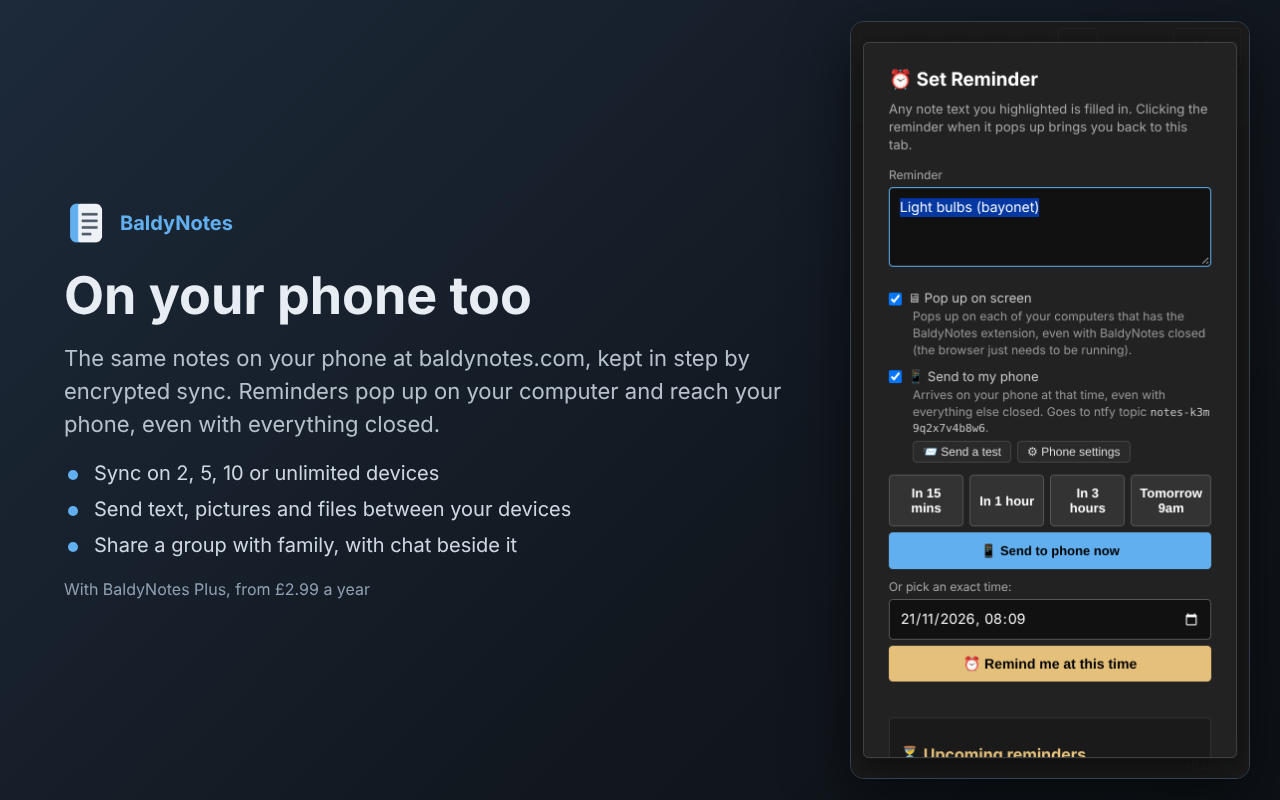
Set a reminder on a task or a tick box and it pops up on your computer. With the free ntfy app it can arrive on your phone too, even when BaldyNotes is closed.
Good to know
- Plans cover 2, 5, 10 or unlimited devices.
- If two devices change the same note, both changes are kept.
- You can cancel at any time, with a full refund within 14 days. See refunds.
Try BaldyNotes
Free on one device, with no account needed. Your notes are encrypted on your own device.