Sketch and draw in your browser
A Sketch tab is a page you draw on with a mouse, a pen or your finger. It is handy for a quick diagram, a room plan or a doodle, and it is free.
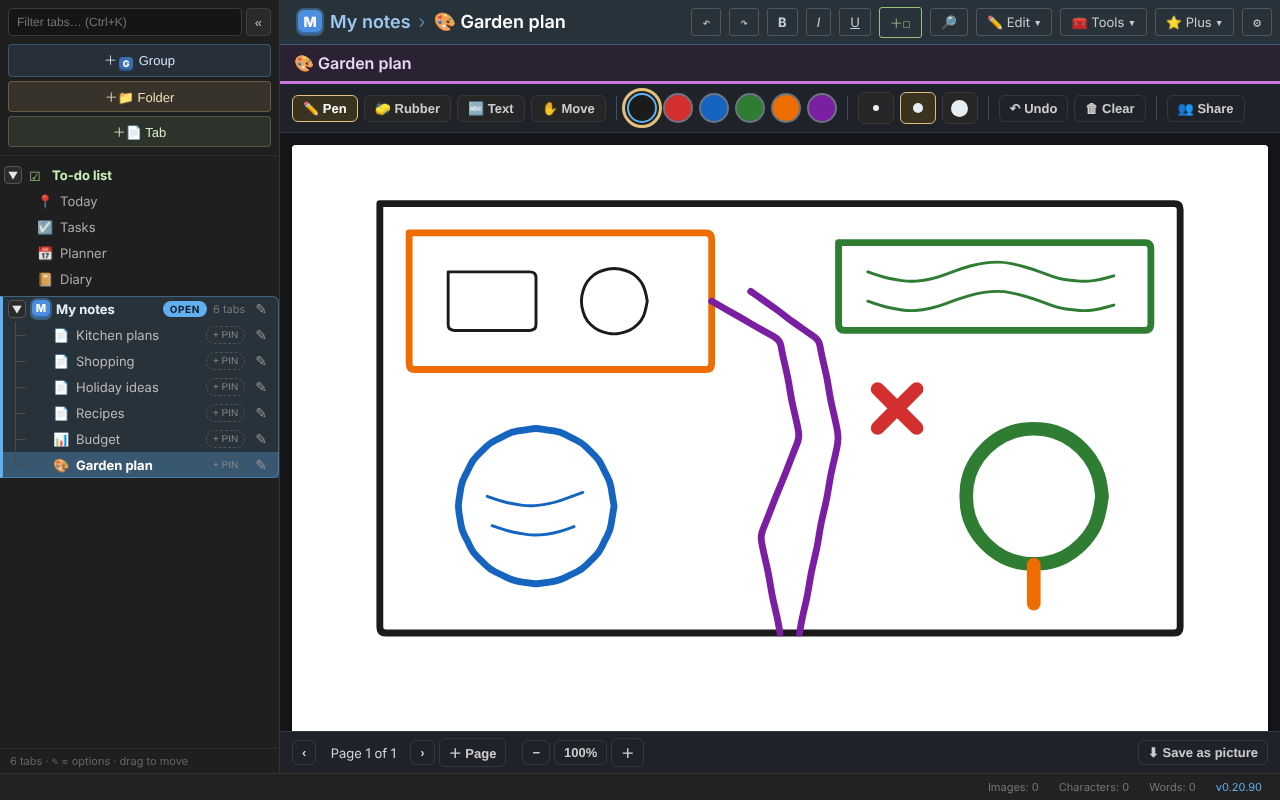
Make a sketch
- Press + Tab and choose Sketch.
- Draw on the white page. Pick one of six colours and three line sizes.
- Use the Rubber to rub out a line, and Undo to take back the last thing you did.
Words, pages and zoom
- Text: choose Text, tap the page where the words should go, type and press Enter.
- Pages: under the page, press + Page to add another, up to 20.
- Zoom: use − and + under the page, and the Move tool to slide the page about when you are zoomed in.
Save or print it
- Save as picture saves the page you are on as a picture file.
- Print and Save as PDF, in the Tools menu, print one page or all of them, or save them as a PDF file.
Good to know
- A sketch is encrypted on your device like a note.
- It is stored as the lines you drew, not as a picture, so it stays sharp at any size.
- In a shared group, everyone can draw on the same sketch and each person keeps the other's lines.
Try BaldyNotes
Free on one device, with no account needed. Your notes are encrypted on your own device.
More guides
- Take notes beside any web page
- A private to-do list in your browser
- How BaldyNotes keeps your notes private
- Sync notes between your phone and computer
- A planner that shows your Google or Apple calendar
- Send a note or a file privately to someone
- A free, private expense tracker
- Keep track of returns and warranties